


Steve Q
Moderators
-
Joined
-
Last visited
Everything posted by Steve Q
-
If there's a problem with the car then yes.
-
You're welcome
-
I agree with Gareth keep us posted on how you get on
-
Sorry my bad it's what I interpreted from your original post. Apologies
-
Please keep us posted on how you get on
-
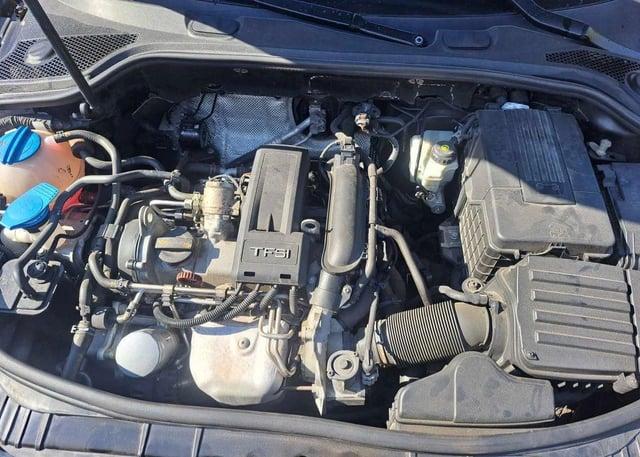
If the deal seems too good to be true it probably is. The 2.0 tfsi is notorious for oil consumption and eating piston rings. The only cure is an engine rebuild.
-
Yep imobiliser definitely can.
-
Glad you got sorted 🙂
-
This is what it should look like
.thumb.jpg.5668b61886f6ceff7487aa5cdeea9d21.jpg)
-
That's a good idea as they set it up for you. Or try Audi customer services
-
Keep us posted on how you get on.
-
Sorry if missed that bit. In that case I wonder if it's a problem with the imobiliser which is built into the instrument cluster. The clusters are known to fail but can be repaired for around £300
-
You're welcome. Please keep us posted on how you get on 🙂
-
Here you go 🙂


-
You're welcome. Thats a shame. If you put your reg or vin into parts websites you might find the correct one. Not sure how long you've had the car but if you've bought it within the last 30 days from a dealer then they should fix it free of charge as you're protected under consumer law. As you can reject the car for a full refund within the first 30 days from sale.
-
I think you're diagnosis is spot on. Have you managed to scan the QR code?
-
Don't forget to try the company advertising on this forum as they should be able to help.
-
If confirming ok isn't working then it makes me wonder if there's an issue with the system. You could do a factory reset of the MMI to see if that helps. Alternatively you could get a diagnostic check to see if any fault codes flag up as to why the ok button isn't responding. This is also linked to the my Audi app. Have you looked in the app to see if there's a way round it?
-
Welcome to the forum you'll find the members on here are a friendly and helpful bunch 🙂 sounds a nice A4 🙂
-
Good idea on the rolling road, hadn't thought of that.
-
I've just noticed, one the clubs current advertiser's does custom hoses! Go to the bottom of the website to see the ad/link. You should get a discount
-
You're welcome, that I'm not so sure. You might find the issue won't be getting it down but getting it back up and sealing properly
-
You're welcome, please keep us posted on how you get on
-
You're welcome. Totally agree I'd loath to scrap it too!
-
That's such a kind offer. Hopefully someone will have them 🙂



.jpg.7e42a270f49a5133afe0e13ff22fc536.jpg)

